Vision
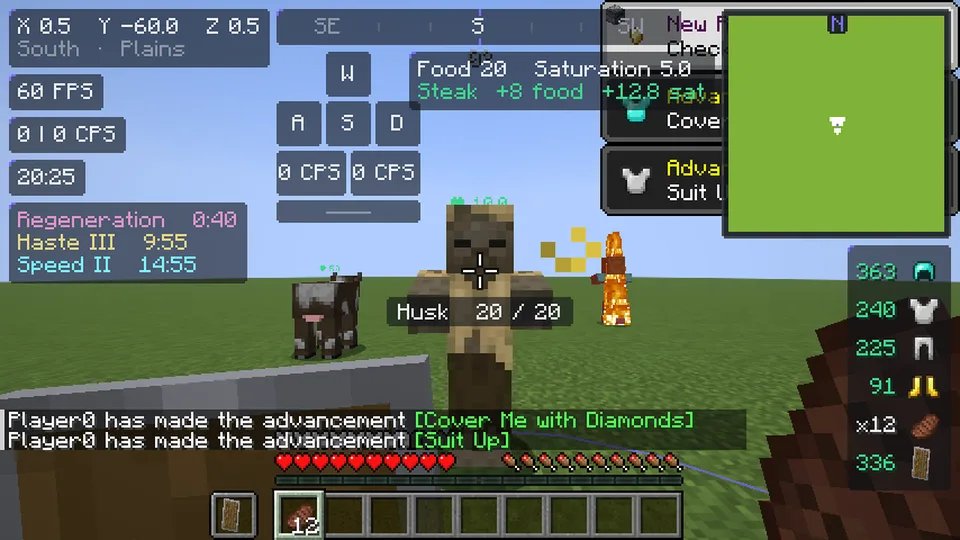
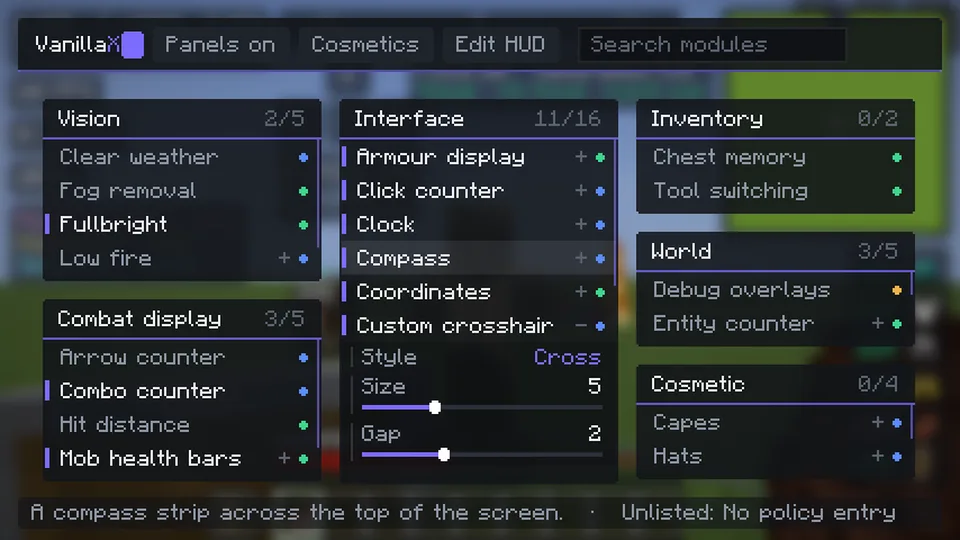
Zoom, fullbright, fog removal, custom crosshair, low fire, clear weather.
VanillaX is a Minecraft client and server-plugin ecosystem by Scappi X Studios, built to add quality-of-life features and cosmetics without breaking server rules. The VanillaX Client is the part players install: a Windows launcher and a Fabric client for Minecraft Java Edition.
Numbers on this page change with releases. Last checked: VanillaX 2.4.15.
0 on VanillaX right now0 in game
Each module is mapped to the mod policy. Anything the policy bans is not in the client at all, and anything that needs approval stays off until it is approved.
Zoom, fullbright, fog removal, custom crosshair, low fire, clear weather.
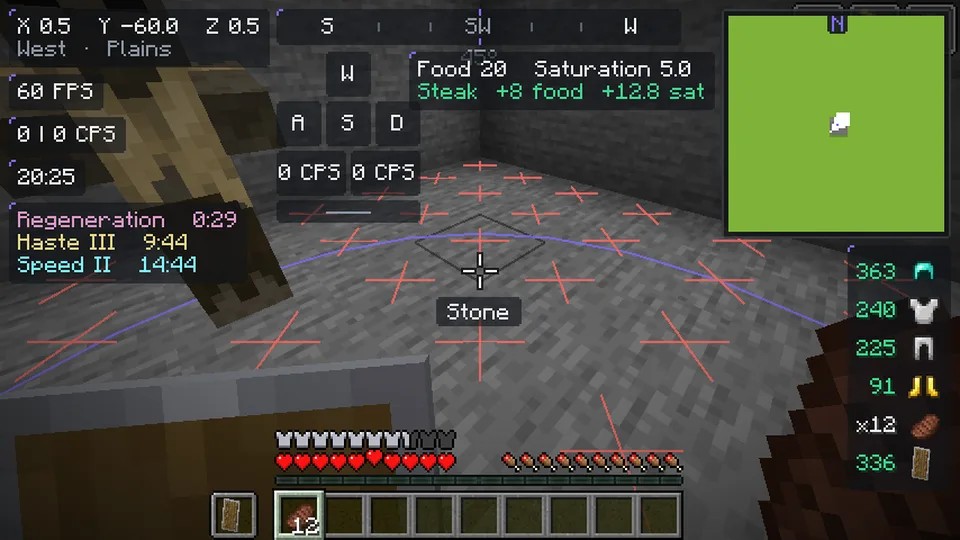
Coordinates, armour, effects, food, FPS, CPS, ping, clock, speed, memory, keystrokes, compass, custom debug screen.
Terrain-only minimap, spawn light overlay, spawn and despawn rings, mob health, TNT timers, hitbox styles, chunk caching for longer view distance.
Sort button on chests, barrels, shulker boxes and your own inventory.
I play on an RTX 2060, so that is where I tested. Same world, same flight path, plain Minecraft against VanillaX, two runs each. VanillaX had all its default HUD modules switched on, plain Minecraft had nothing.
Slowest 1% of frames: 239 → 322 FPS
Slowest 1% of frames: 233 → 241 FPS
Standing still, the difference is small. The big win is when you move and new terrain loads in, which is exactly when Minecraft usually stutters. That is what the 1% lows measure: the slowest moments, the ones you actually feel.
| Test | Setup | Average FPS | Slowest 1% |
|---|---|---|---|
| Flying over new terrain | Plain Minecraft | 651 | 239 |
| Flying over new terrain | VanillaX | 807 | 322 |
| Standing still | Plain Minecraft | 725 | 233 |
| Standing still | VanillaX | 768 | 241 |
Your numbers will be different. A faster or slower PC gains a different amount, and I will add more PCs here as I test them.
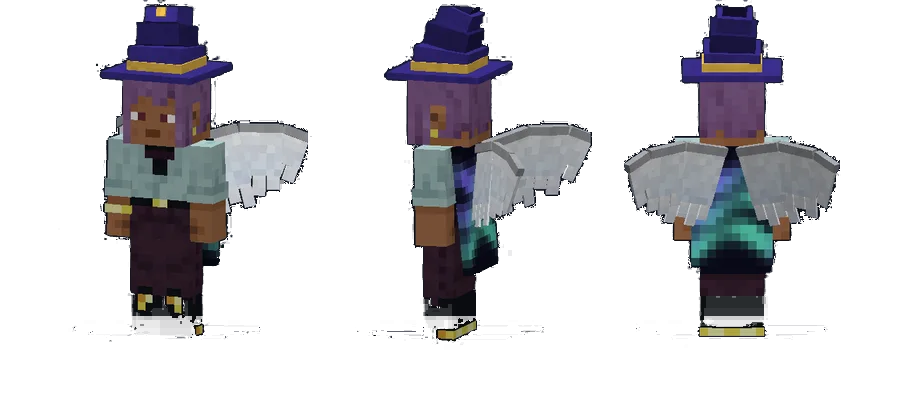
Animated capes, hats, wings and pets, drawn on your own player and visible to other VanillaX players. Pets can follow you or sit on your left or right shoulder. You can equip them from the locker in the launcher.
Capes use Minecraft's own cape physics, so they swing and sit over armour exactly like a real cape. Hats follow your head and lift over helmets. Wings flap, spread when you crouch and beat faster when you glide. Pets follow you around (an otter, a fox, a capybara, a bee, a baby dragon and four axolotls), and emotes play from a wheel when you hold B.
 Aurora
 Wizard hat
 Angel wings
 Dragon wings
 Halo
Halo Propeller cap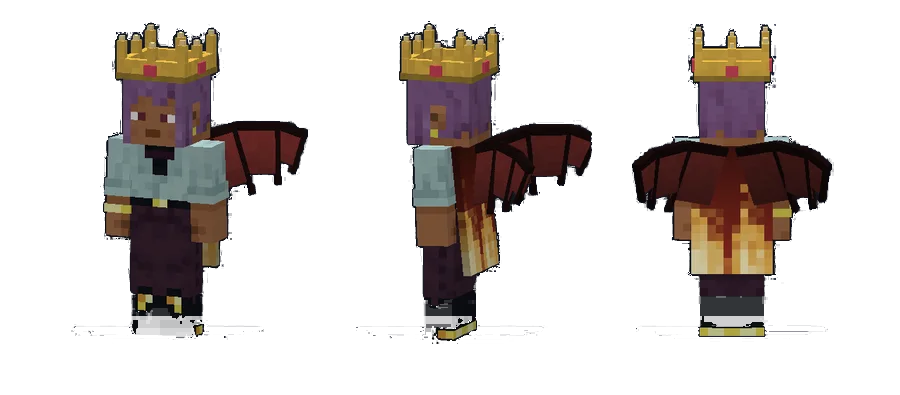
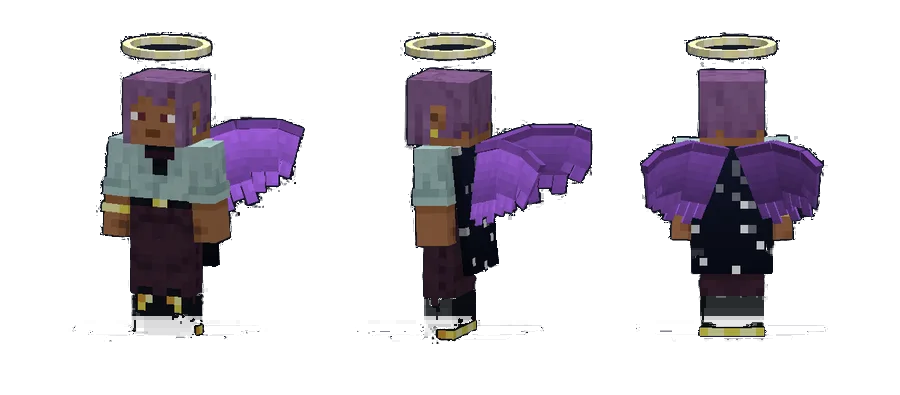
The original 20 cosmetics, the otter, the bee, the pink axolotl and the Wave, Bow and Sit emotes are free. Premium items are in the CoinsX store, and everything you own stays yours.
Every picture on this page is a real screenshot taken inside Minecraft 26.2.
Reach, scaffold, aim help, X-ray or radar. Every module is checked against the mod policy.
The CoinsX store is open. Buy premium cosmetics, sets and emotes with CoinsX, and pick up free coins every day. An optional VanillaX+ membership is planned for later.
One download, one click, and you are in the game with your cosmetics on. Questions first? Read the FAQ.