Runes and build sent for you
When you lock in, RiftX sends the most played runes, summoner spells and item set from OP.GG. Your own rune pages stay untouched.
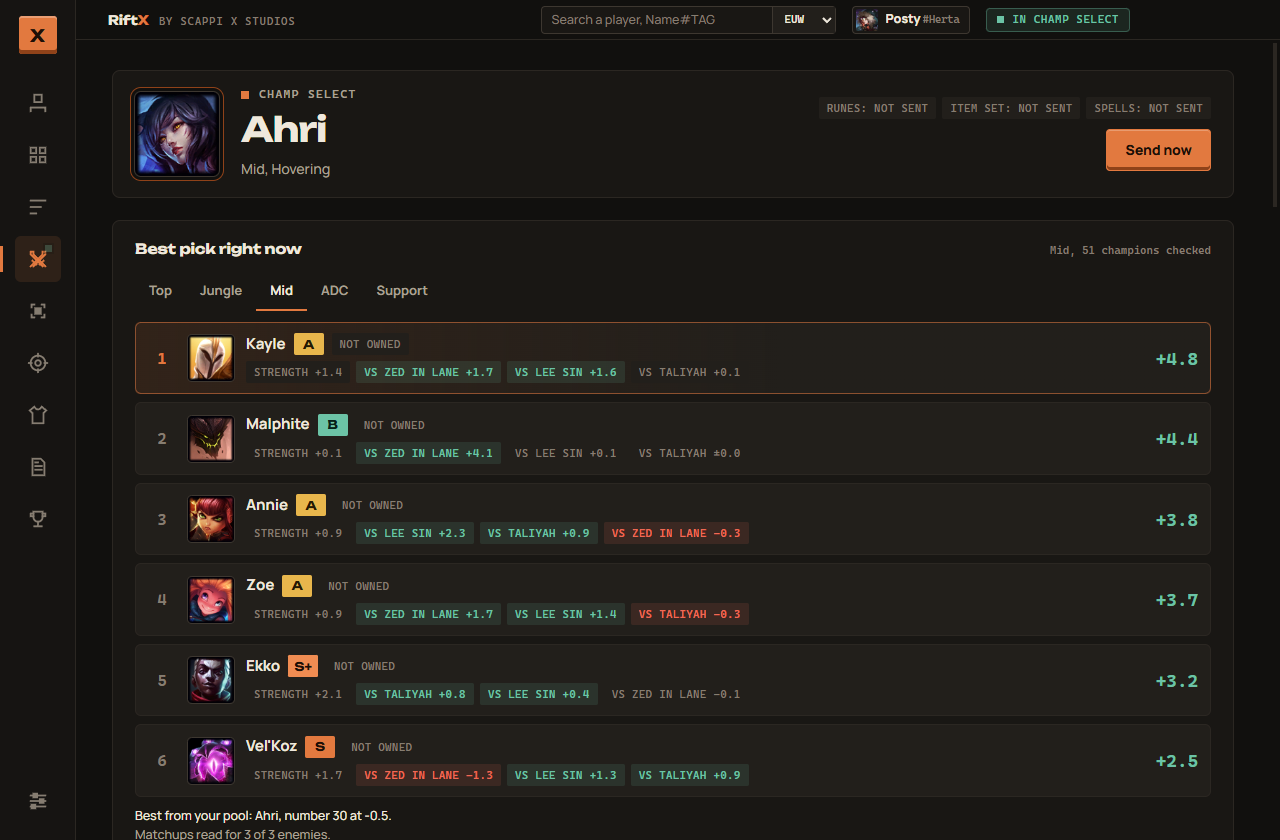
RiftX waits in your tray until champ select starts. Then it ranks every champion for your lane against the enemy team and with your own, suggests bans and sends your runes and build to the client.
Free. About 110 MB. Works with any League account.
RiftX scores every champion in your lane, whether you own it or not. Each score adds up how strong the champion is this patch, how it does against the enemies already picked and how it plays with your teammates. You also see where your own pool lands.
RiftX only suggests. It never hovers or locks in a champion unless you click.
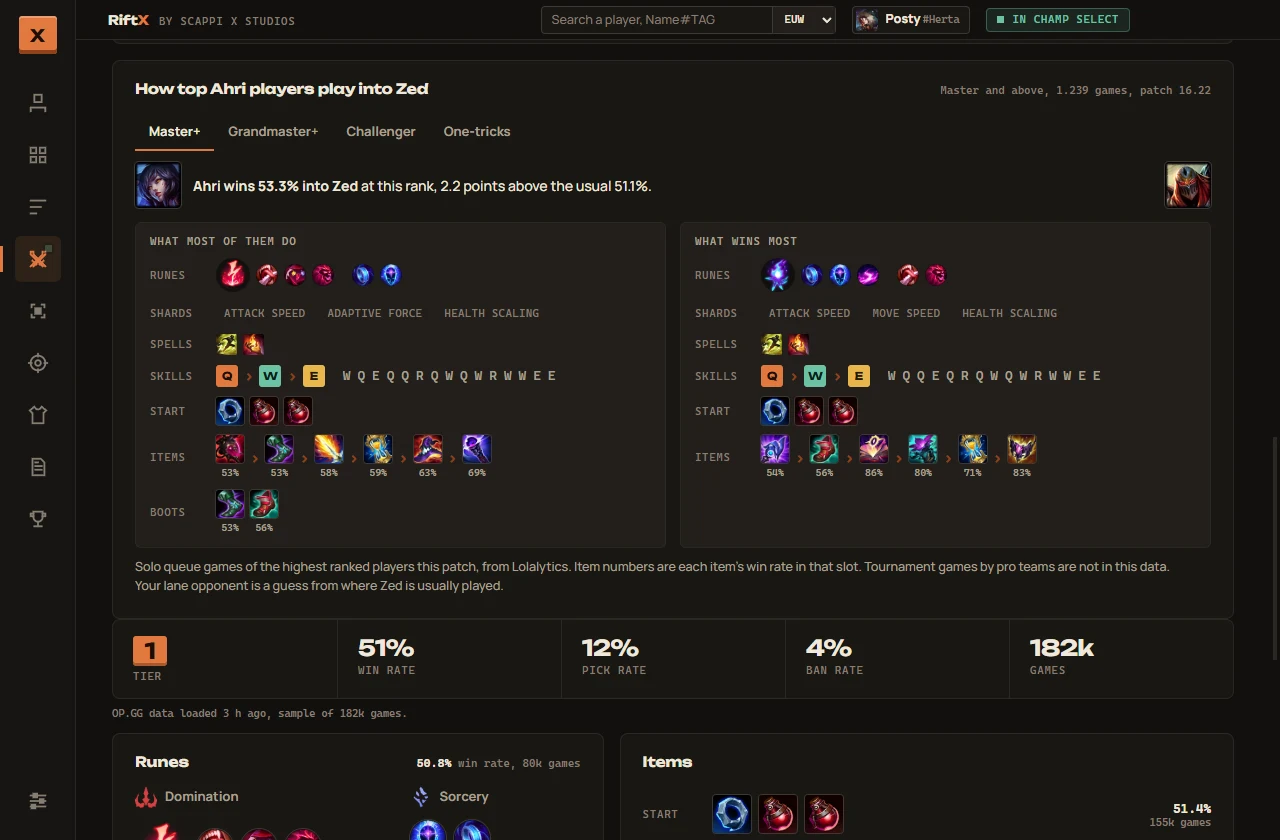
Once your lane opponent is known, RiftX shows what Master, Grandmaster, Challenger and one trick players do in that exact matchup. You get their runes, skill order and items, plus the setup that wins most.
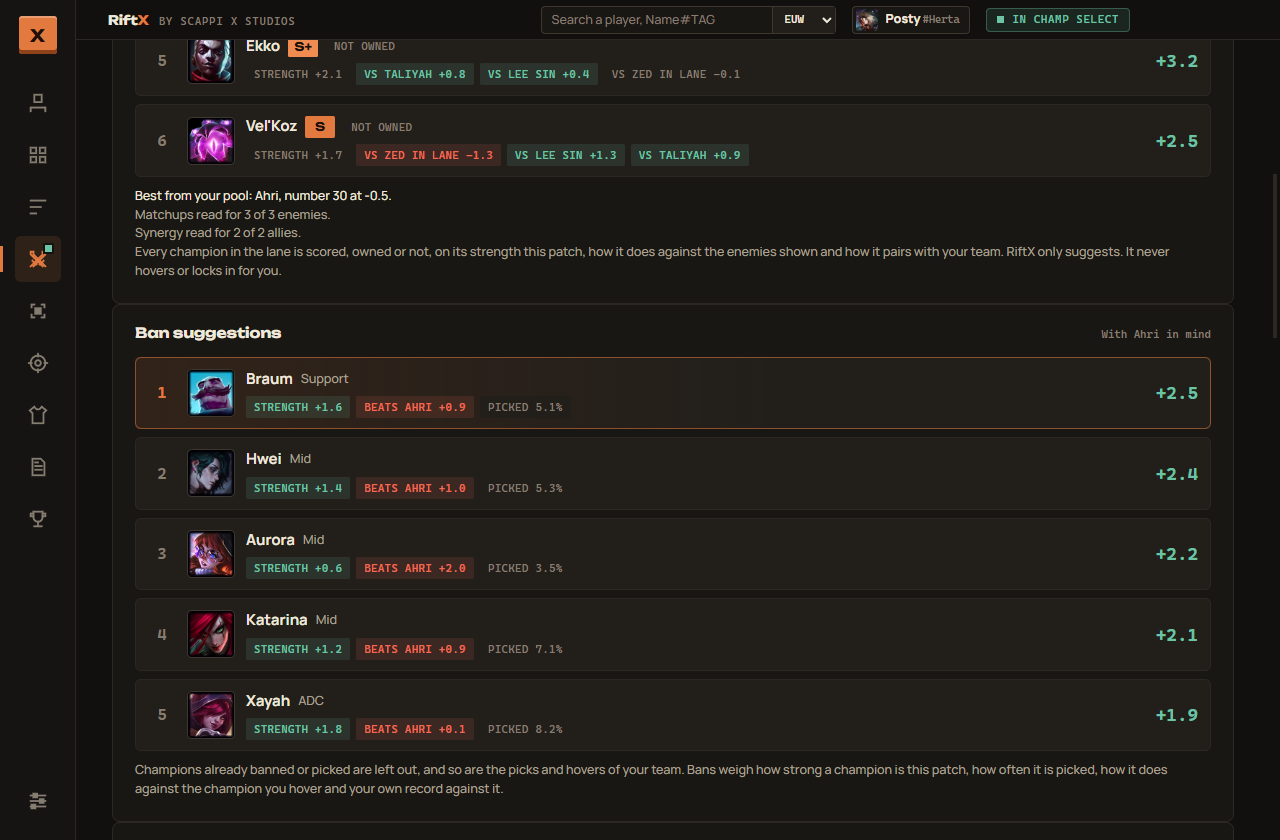
Ban suggestions weigh how strong a champion is, how often it gets picked and how it does against the champion you are hovering. Your own record against it counts too, so the champion that keeps beating you climbs the list.
One app from champ select to the end of the game.
When you lock in, RiftX sends the most played runes, summoner spells and item set from OP.GG. Your own rune pages stay untouched.
Queue with a friend and RiftX pairs your champions with theirs for your two lanes.
KDA, CS pace, gold lead and objective timers in panels you can move and resize. Switch to a minimal layout or hide it with one key.
Lost in a game? Press Alt+A and the overlay tells you what to do right now. With a free Groq key you can ask your own question out loud.
It notices what keeps going wrong in a matchup and warns you in game at the moment it happened before.
Look up any player by Riot ID. During loading RiftX shows how the players in your game usually play.
No account, no tracking and no ads. Settings, caches and your Riot key live on your own computer.
Yes. No ads, no account and nothing to buy.
RiftX only reads what the League client already shows you and suggests things. It never picks or locks in for you, never reads the game's memory and never touches game files. It does not show anyone's rank or name in champ select. Players you are already partied with are the one exception.
Yes. The installer is not code signed yet, so SmartScreen warns about it the first time. Click "More info" and then "Run anyway".
No. Most of RiftX works without one. With a personal key from developer.riotgames.com it also reads your last ranked games and builds its own champion stats. Paste the key under Settings in the app.
Press Alt+A in a game. RiftX looks at your gold, your health, the levels in your lane, who is dead and the next objective, and shows what to do in the Coach panel. That part runs on your own PC. If you add a free Groq key under Settings, you can hold the key and ask a question out loud. The coach cannot see the map or where anyone stands, because the game does not share that.
The matchup numbers come from U.GG and Lolalytics, which RiftX starts with switched off. Turn on "Use U.GG and Lolalytics" under Settings to fill them in.
The installer and a portable version are on the GitHub releases page.
RiftX isn't endorsed by Riot Games and doesn't reflect the views or opinions of Riot Games or anyone officially involved in producing or managing Riot Games properties. Riot Games, and all associated properties are trademarks or registered trademarks of Riot Games, Inc. RiftX is not made by or affiliated with OP.GG.