Give me something to do
One small task: move a bit, look after yourself, tidy one thing, or reach out to someone. Each one takes about two to five minutes.
PurposeX gives you one small, real thing to do when you are stuck, bored or having a bad moment. Two to five minutes, no typing, nothing to sign up for.
Free. Runs in your browser. No account needed.
No feed, no score, nothing to scroll. You get one action at a time, and if it does not fit right now you ask for another one. The app remembers how many days in a row you showed up, and that is all it remembers.
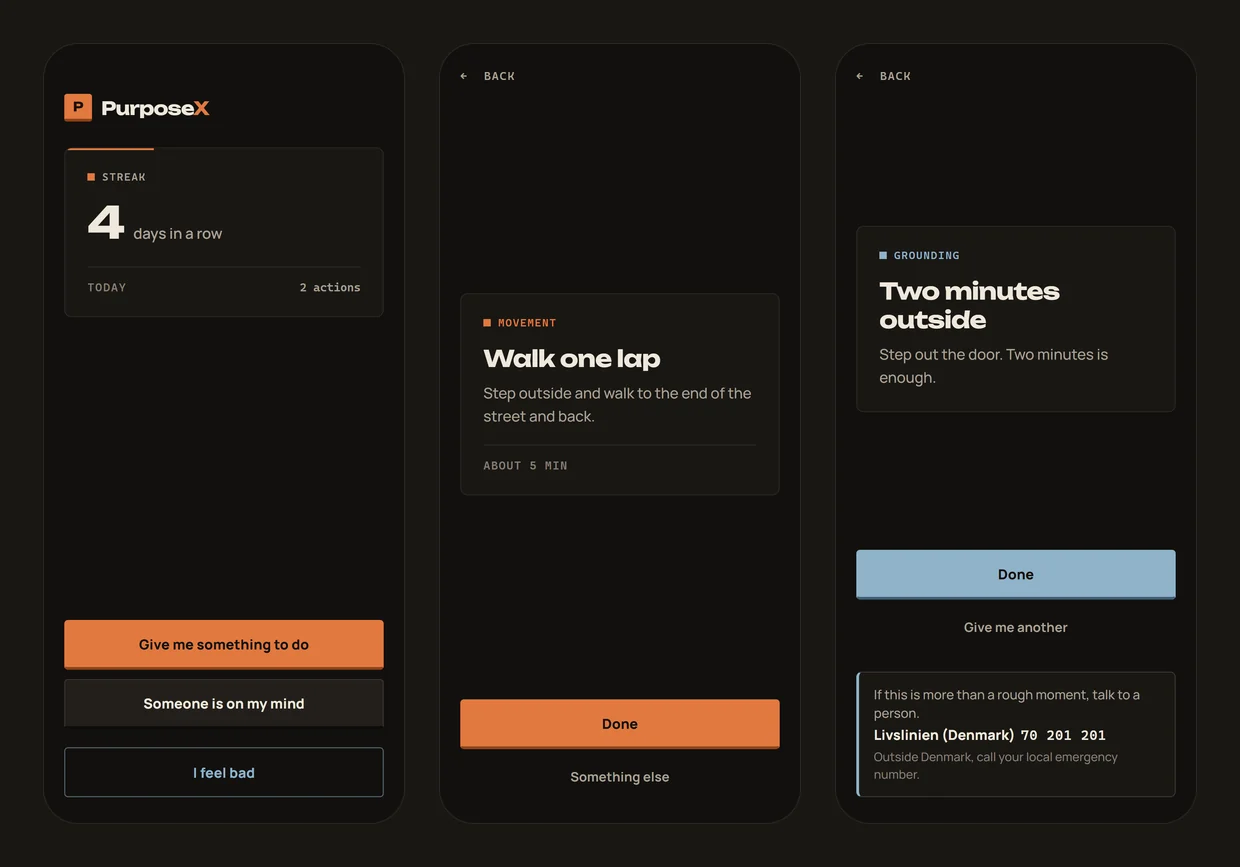
Everything is one or two taps away, and nothing asks you to write about how you feel.
One small task: move a bit, look after yourself, tidy one thing, or reach out to someone. Each one takes about two to five minutes.
Pick a friend, family, someone you like, school or work, or yourself. You get one concrete thing you can do about it today.
Something to do straight away, like cold water on your face, ten slow breaths or two minutes outside. No menus in between.
Your streak survives one missed day. Nothing ever counts down, and backing out of a task costs you nothing.
It never grades you or the people around you. The relationship actions are about what happens between people, not about who is good or bad.
No account needed and no tracking. Your streak lives in your own browser. Log in with Discord only if you want to earn CoinsX.
No app store needed. Add it to your home screen from this site and it opens full screen, with its own icon, and works without internet.
Yes. No ads, no account, no payments and nothing to unlock.
Without a login, your activity is never sent anywhere. PurposeX stores three things in your own browser: your streak, the last day you were active, and how many actions you did today, plus the two-letter code of the country it last detected. To pick the right crisis line, it asks our host, Cloudflare, which country your connection comes from. That answer is worked out from the connection itself and nothing is saved about it. Clearing this site's data in your browser resets everything. If you log in with Discord to earn CoinsX, PurposeX also tells our server when you finish a task or a social action, never which one, so it can count your coins. Nothing from "I feel bad" is ever sent.
No. It suggests small everyday actions and does not diagnose or treat anything. If you are struggling, talk to someone you trust, your doctor, or a crisis line. The app and this page show the crisis line for the country you are in.
Yes, if you log in with Discord on the CoinsX page. Three actions in a day give 10 CoinsX, four give 30 and five give 50. Tasks and "Someone is on my mind" actions count, at least a minute apart. "I feel bad" never counts: it is there for you, not for points. You spend CoinsX on VanillaX cosmetics.
The one for the country your connection comes from, for 23 countries so far. Anywhere else it tells you to call your local emergency number and links to findahelpline.com, a free directory of crisis lines worldwide. If you use a VPN it may guess the wrong country; the "Not in" link is there for that.
Yes, after you have opened it once. It keeps a copy of itself on your device.
On iPhone, only Safari can add a web app to the home screen as a real full-screen app. From other browsers you only get a bookmark.
Not yet. The web version installs straight from this page on both iPhone and Android, which is the fastest way to get it into people's hands.
It opens in your browser. Install it later if it helps.